
qqqide: Paste Everything into VS Code / Code-OSS / VSCodium (Project started in October 2025)
Download: v16.5.2 · 2026-05-20
Make everything pasteable. Orchestrate ideas. Turn the IDE into an operating system.
qqqide lets you paste images, screenshots, files, folders, HTML pages, videos, and media directly into VS Code / Code-OSS / VSCodium �?with WYSIWYG preview.
qqq turns VS Code, Cursor, Antigravity, Code-OSS, and VSCodium into an all-media paste-friendly notebook and creative workspace.
qqq 16.5.1+ is required for Linux / macOS. Details
Why qqqide
You should not need to open a separate note-taking application just to collect screenshots, images, files, folders, videos, HTML pages, and creative materials.
With qqqide, your editor becomes an all-media workspace.
VS Code / Code-OSS / VSCodium can become a paste-friendly notebook for developers, creators, writers, AI users, and anyone who organizes ideas inside an IDE.
The core workflow is simple:
Copy �?Paste �?Preview �?Organize �?Continue
Ctrl+V: Paste Everything, Anywhere in Any Document
qqqide extends paste beyond plain text.
You can paste screenshots, image files, folders, videos, HTML pages, documents, and media resources directly into the editor.
This works in plain text files, custom file extensions, and even files with no extension.
Paste screenshots directly into VS Code / Code-OSS / VSCodium
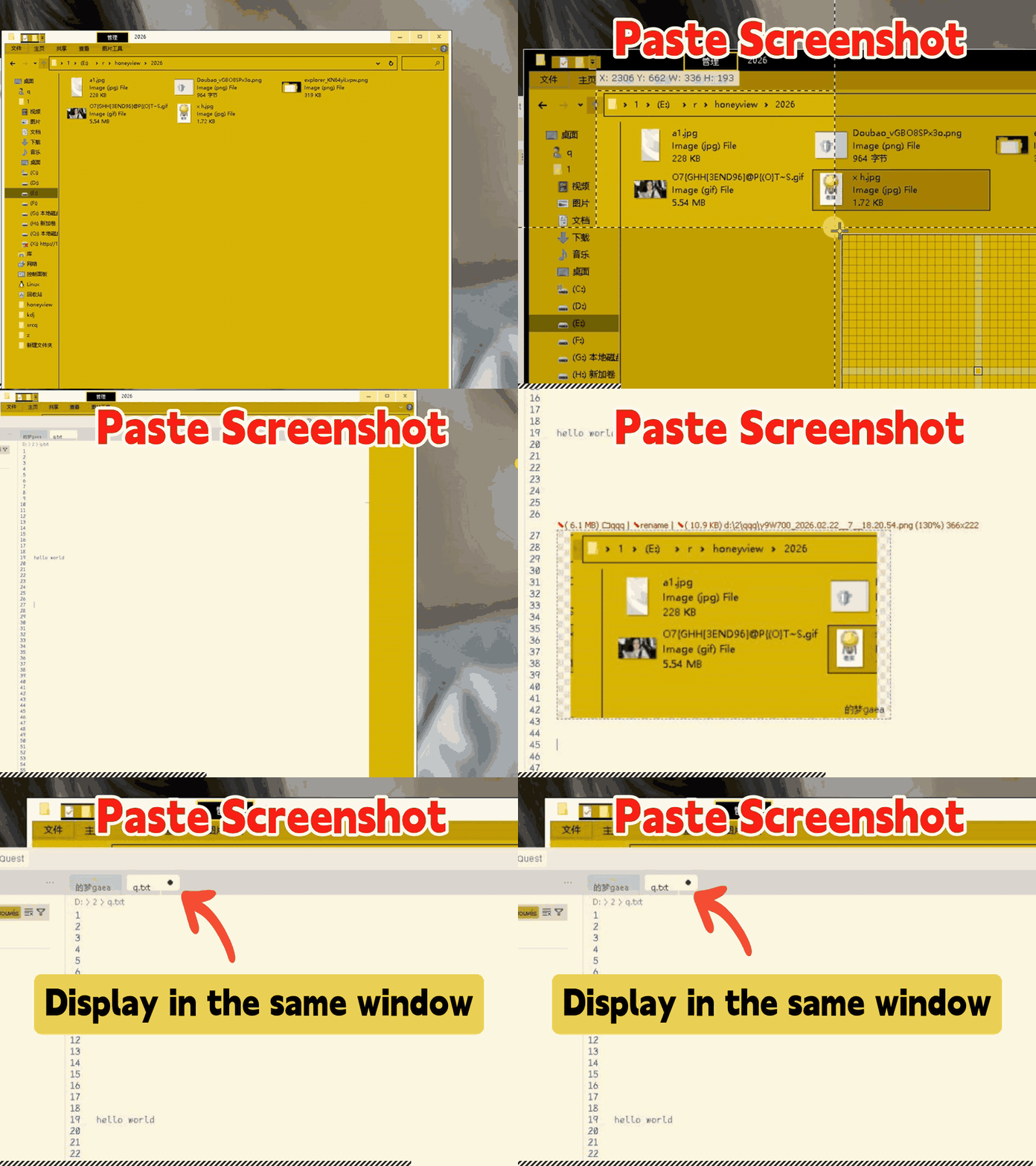
qqqide lets you paste screenshots directly into any document, including .txt, .1, custom file extensions, or files with no extension, and preview them with WYSIWYG rendering.
Paste image files directly into VS Code / Code-OSS / VSCodium
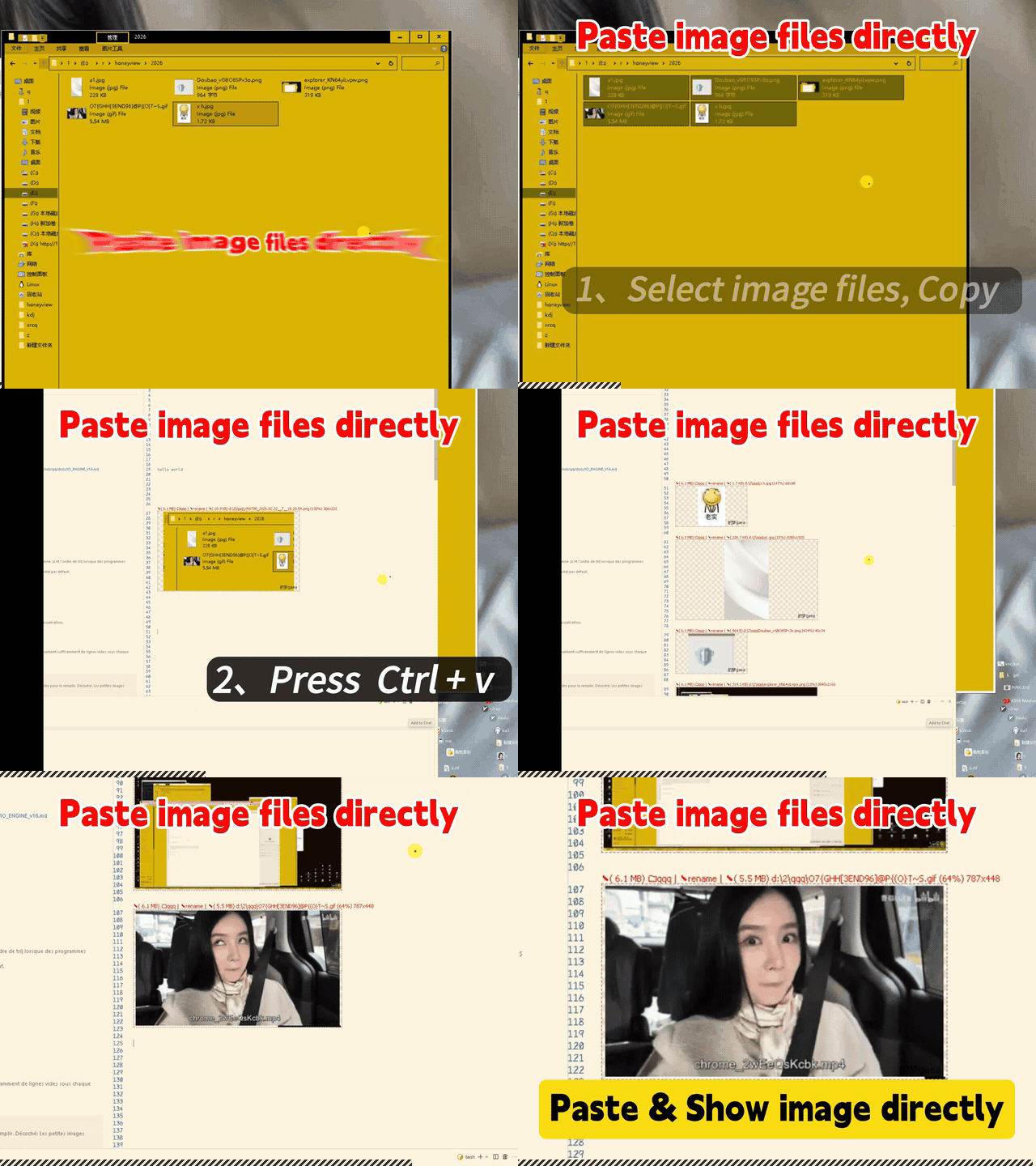
qqqide lets you paste image files directly into the editor and preview them in place.
Paste any file, folder, video, PSD, MP3, EXE, or media resource
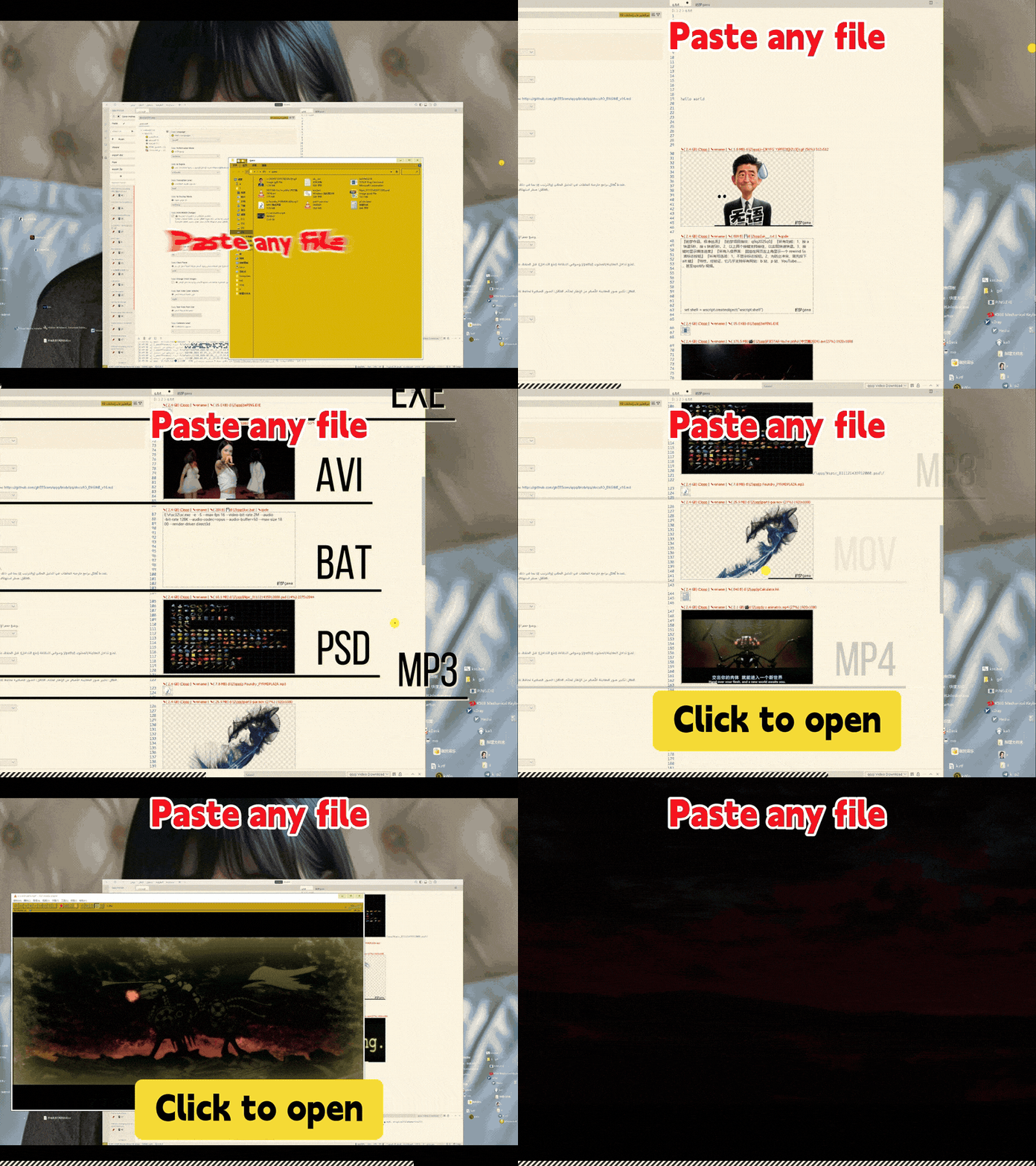
Via qqq, you can paste txt, exe, psd, mp3, folders, mp4 videos, and many other file types directly into VS Code / Code-OSS / VSCodium with WYSIWYG preview.
Use: Ctrl+V or F2
qqq makes paste a universal input action inside the IDE.
You can organize your ideas immediately without leaving the editor.
Roam File Explorer for VS Code / Code-OSS / VSCodium
To organize ideas, files, screenshots, folders, videos, and media resources, you also need to jump between arbitrary directories quickly.
qqq includes Roam, a fast file explorer for VS Code / Code-OSS / VSCodium.
Invoke Roam with: Tab when not in editing mode, Roam command, Roam button, or Space + Q.
Roam file explorer for fast directory navigation

Roam, from qqq, is a file explorer designed for fast navigation, recent locations, keyboard-first workflows, and access to directories outside the current project folder.
Why Roam matters
- Reach any location �?Roam is not limited to the current project folder. You can jump to any local directory. You can also map remote disks locally and work with them directly.
- Fast file browsing �?Roam is designed for fast directory listing and quick navigation, even on heavy machines, servers, and virtual machines.
- Transactional file operations �?Roam uses transactional file operations to make large-scale file deletion, copying, and organization more reliable. VS Code file explorer limitations
- Keyboard-first workflow �?Roam supports recent visits, quick filtering, keyboard operation, quick file creation, list preferences, sorting preferences, and direct opening of administrator terminals. Example: Tab �?filename �?Enter �?new file opens and enters editing mode.
Select folders and mixed resources in Roam
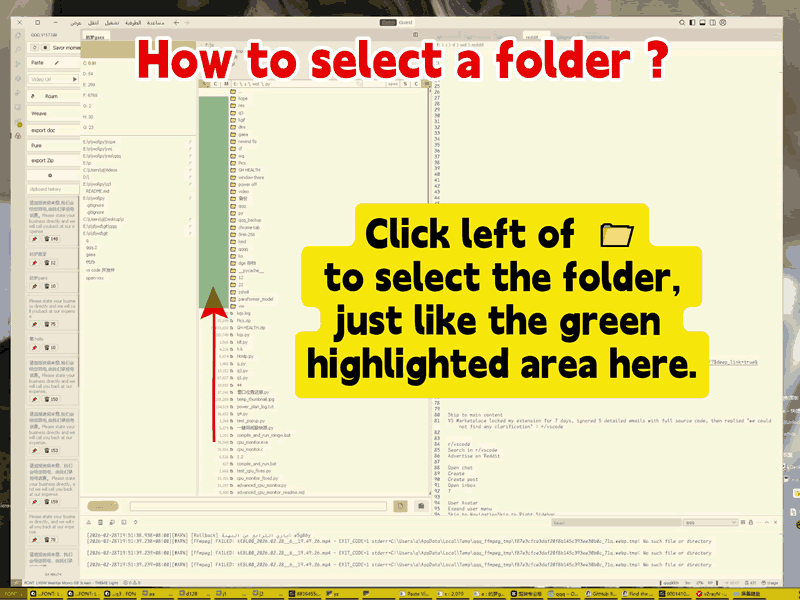
With Roam, you can select folders, files, or a mixed set of files and folders to copy, delete, or calculate size in bulk.
Most visited folders stay close to you
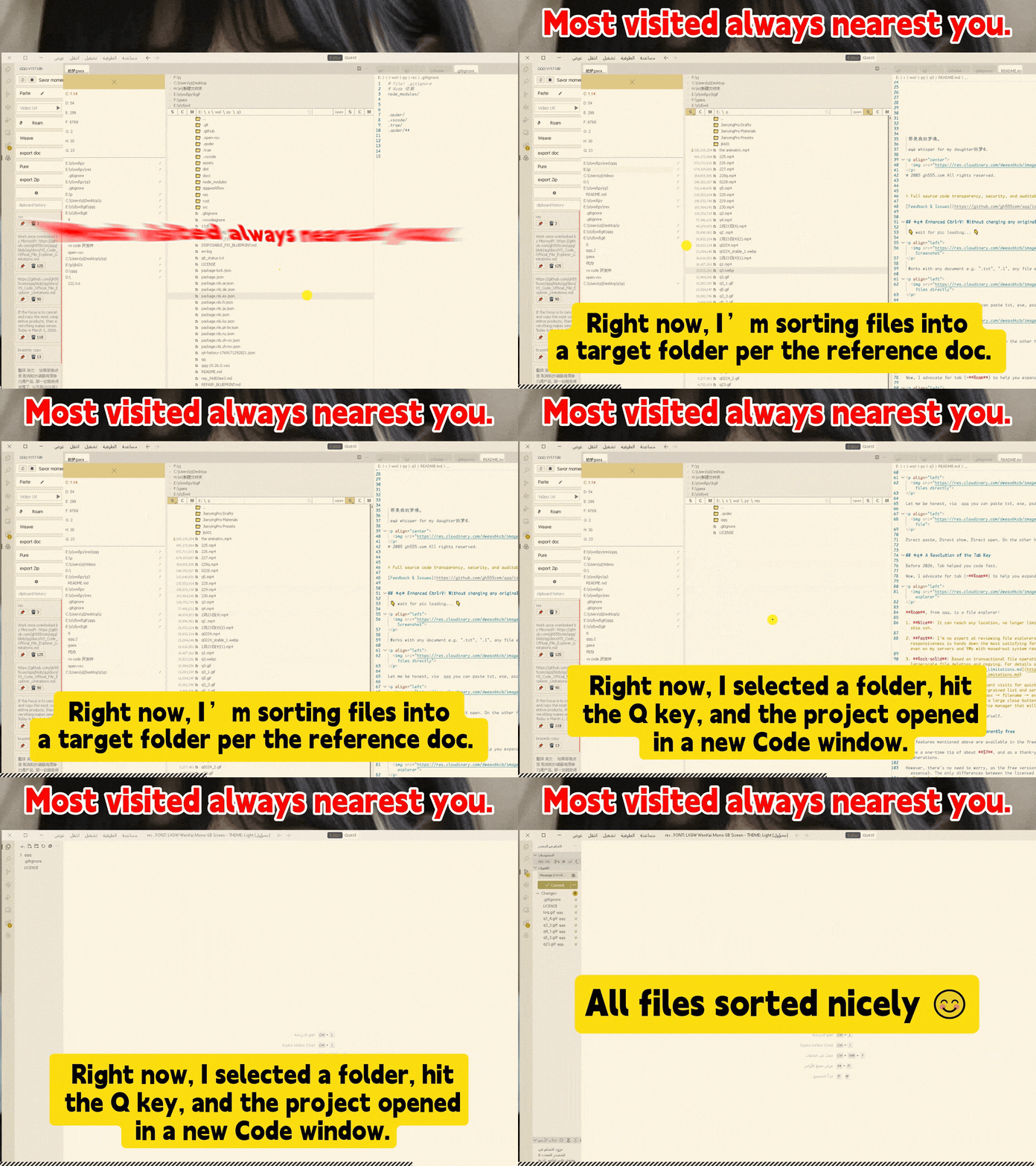
Roam keeps frequently visited locations close, so you can move between projects, documents, music, videos, games, and media folders faster.
Roam keyboard shortcuts
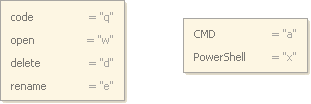
- Space
- Request selected item size
- 1
- Scroll to top of list
- 2
- Scroll to bottom of list
- Q
- Open selected projects or documents in IDE
- W
- Open selected music, videos, games, folders, or media resources
- Space + Q
- Invoke Roam
Premium Features: Out of the Box
Paste HTML directly into VS Code / Code-OSS / VSCodium
qqqide supports sniffing & pasting HTML (Rich Text) into the editor. Compatibility is best with Chromium-based browsers. If you copy from some browsers, such as Edge in certain modes, only plain text may be displayed.
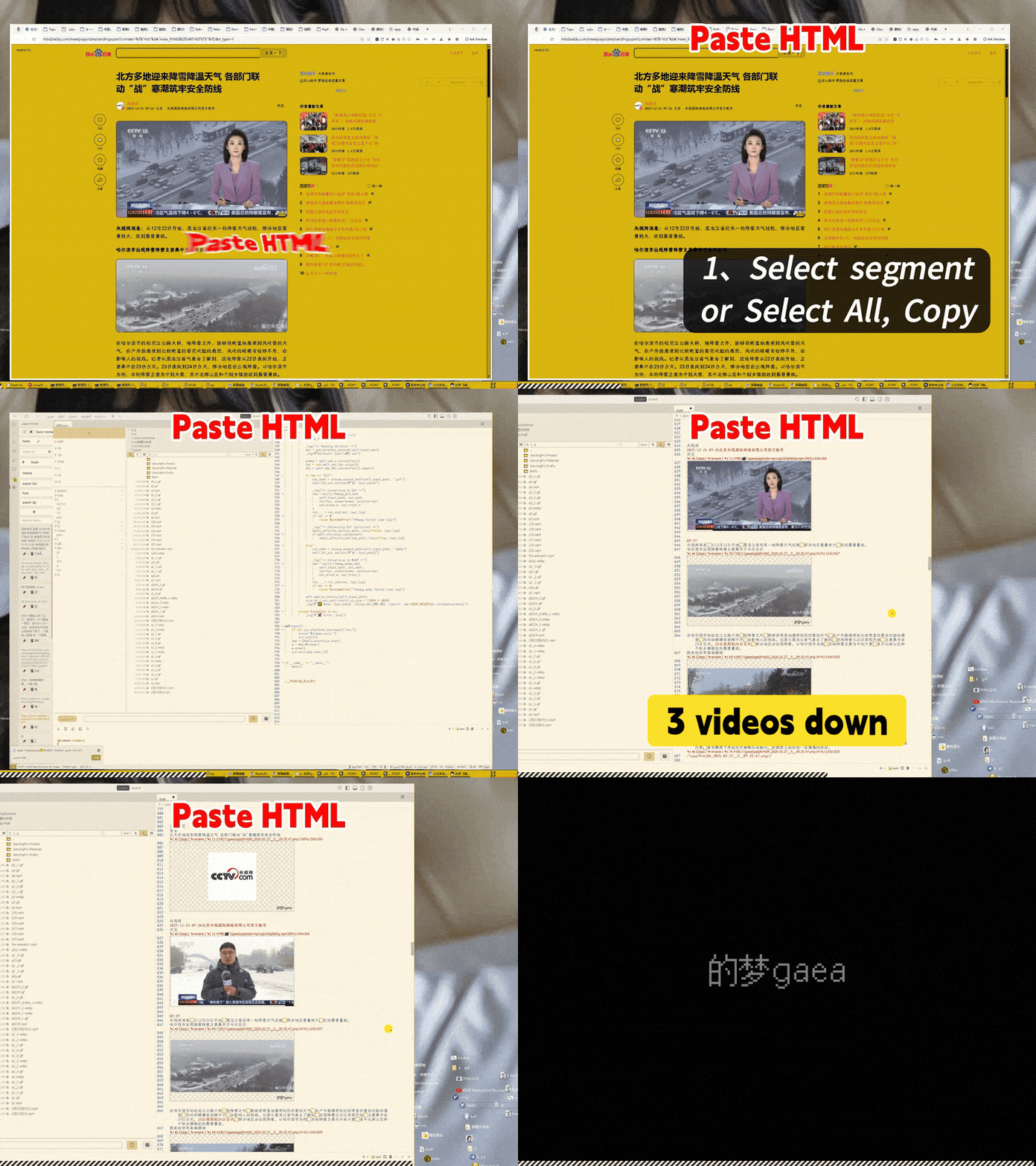
HTML Paste Test URL
Test page �?contains a mix of videos, images, and text.
Test objectives:
- All videos should be downloaded.
- The order of text, images, and videos should remain correct.
- No garbled characters should appear.
- Repeated operations should save identical resources only once.
- Identical images and videos should be deduplicated by fingerprinting.
Export DOC and DOCX from qqqide
qqq supports document export.
.doc�?compatible with Word 2003, based on RTF, better compatibility for older workflows..docx�?compatible with Google Docs and Tencent Docs, based on Office Open XML, stronger structure, better compression ratio.
Export ZIP for portable resources
qqq supports ZIP export. ZIP export is useful for packaging notes, media resources, documents, images, HTML content, and presentation materials into portable archives.
Paste streaming videos into VS Code / Code-OSS / VSCodium
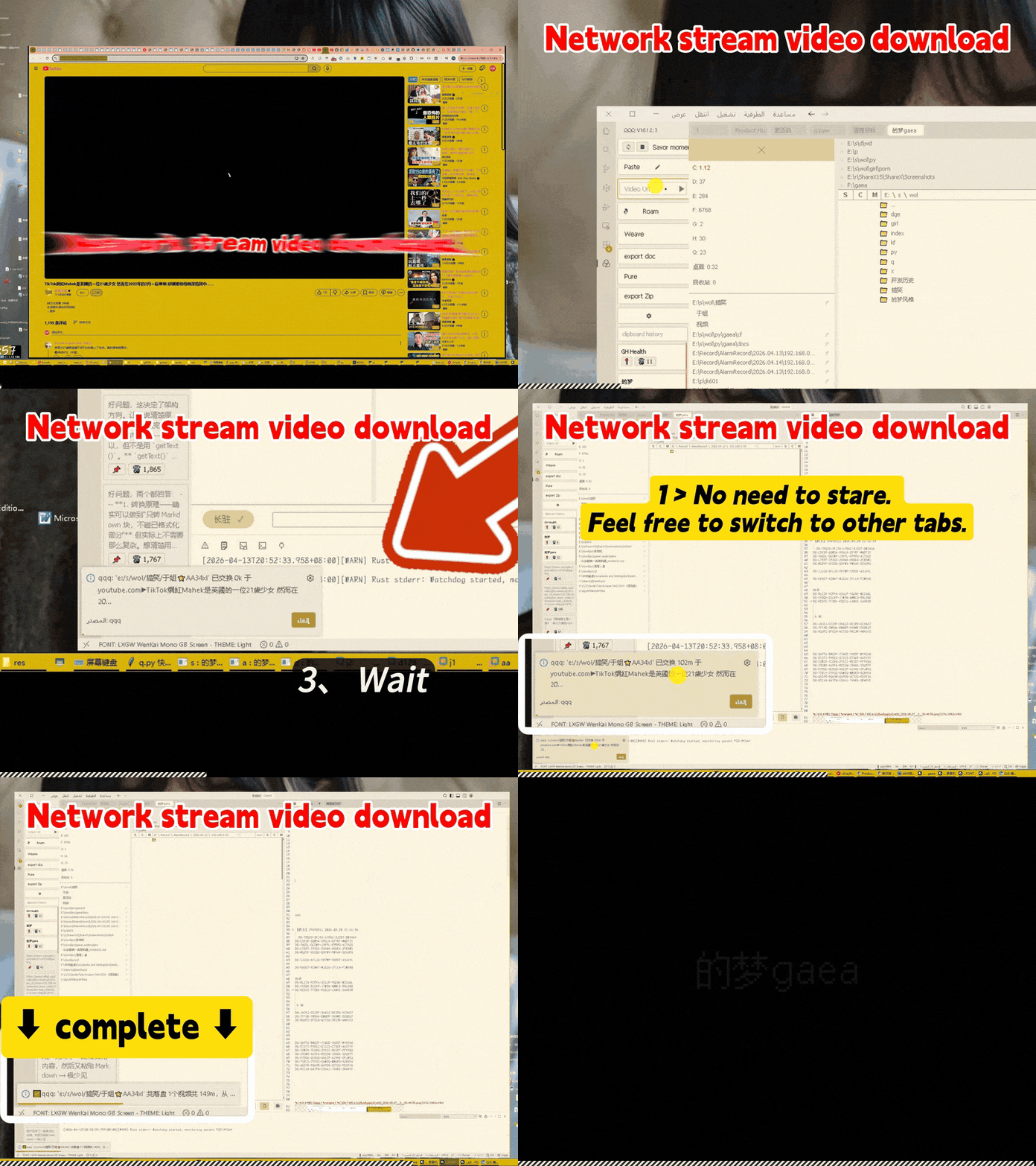
qqq supports workflows for pasting and organizing streaming video resources inside the editor.
Clean up orphaned files
qqq can help clean up orphaned resource files that are no longer referenced by your documents.
Clipboard history cards
qqq includes clipboard-related workflows for managing pasted content and recent resources.
How to Install
qqq 16.5.1+ provides a single universal installer for:
- Windows x64
- Linux x64
- macOS x64
- macOS arm
The installer is designed to work across common operating systems and processor architectures. No installation options or complex choices are required. One package works for everything.
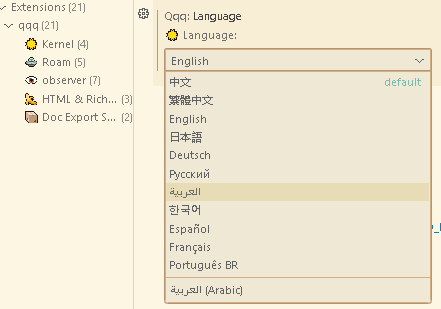
Switch languages after installation
qqq supports multiple UI languages: zh、zh-tw、en、ja、de、ko、ru、ar、es、fr、pt-BR
About qqq Resource Footprint
qqq is built on a highly efficient Rust-based underlying architecture with performance optimization.
Its idle CPU and disk IO overhead are designed to stay close to zero.
Its low memory footprint is especially useful when multiple IDEs are running at the same time, such as: VS Code, Cursor, Antigravity, Code-OSS, VSCodium.
For architecture details: IO Engine v16 Documentation